How do I copy and paste workouts on the calendar?
On the web app, right-click a workout and choose Copy, or hover it and press ⌘C (Ctrl+C on Windows). To paste, right-click an empty part of a day and choose Paste, or hover the day and press ⌘V (Ctrl+V). Copy a whole week from the ⋮ that appears when you hover the week row. Hold Option/Alt and drag a card to duplicate it.
Updated
AI isn't the answer to everything. Sometimes copy and paste is still the fastest way to build a training week.
Everything below happens on the athlete calendar in the web app.
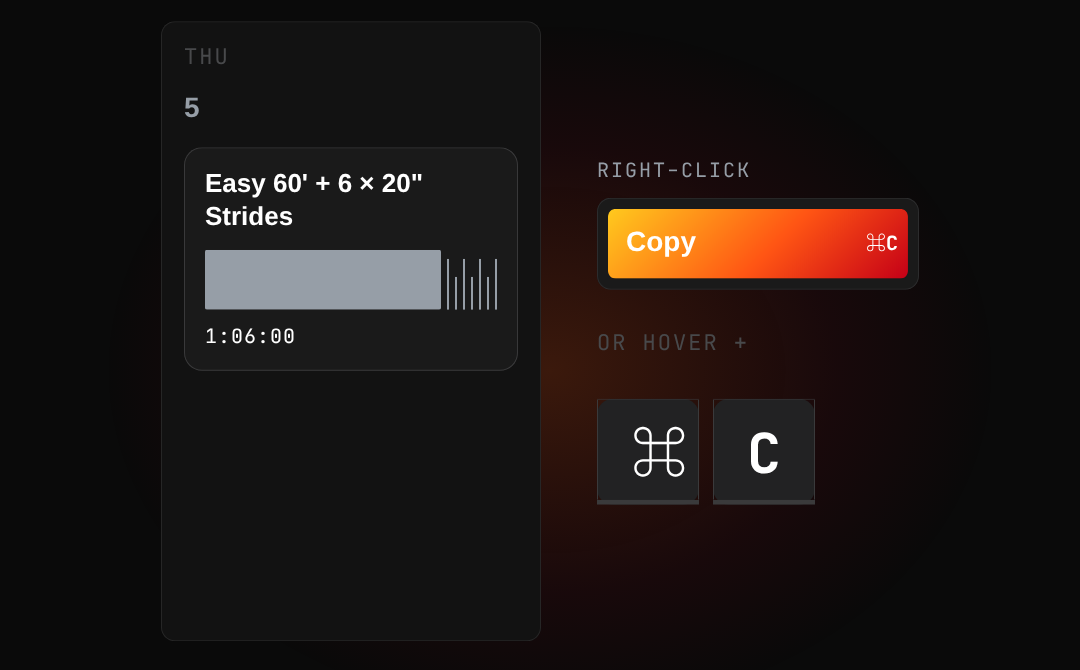
Copy a workout
Right-click the workout card and choose Copy, or hover it and press ⌘C (Ctrl+C on Windows).
Copy a week
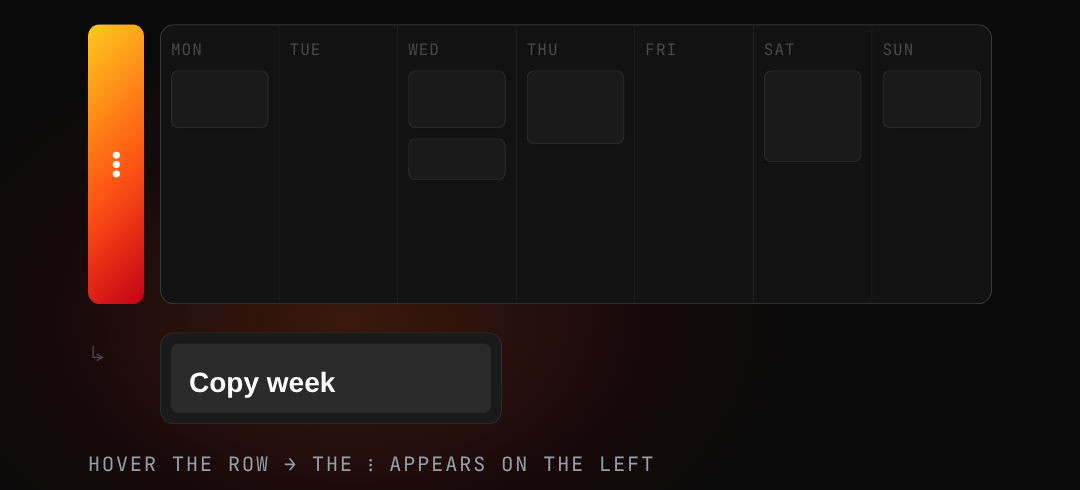
Hover the week row, then click the ⋮ that appears on its left and choose Copy week.
Paste
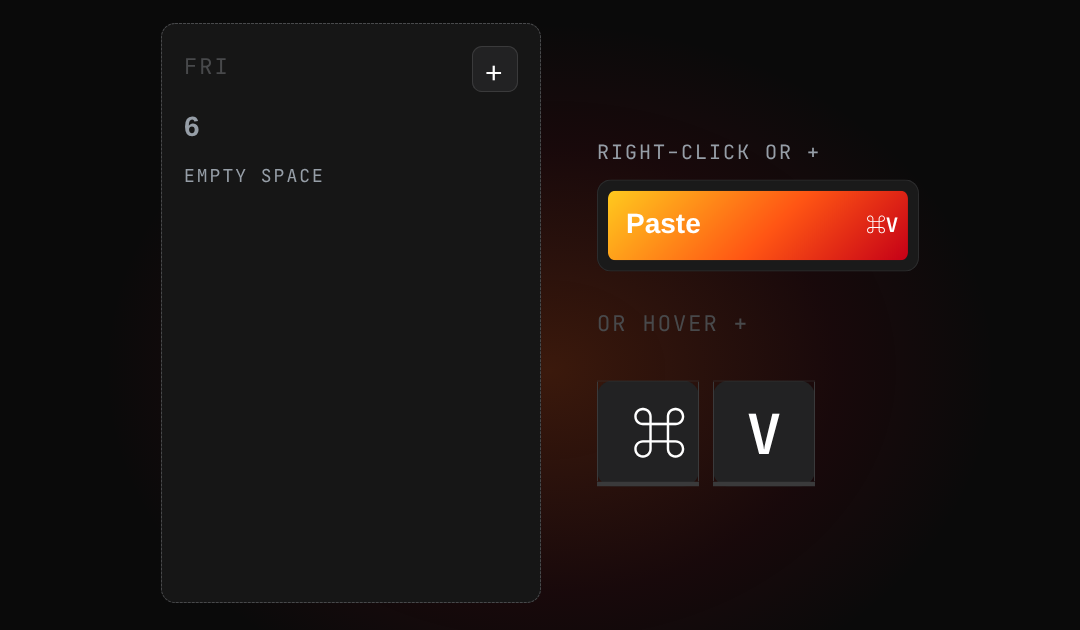
Right-click an empty part of a day (or use its + menu) and choose Paste, or hover the day and press ⌘V (Ctrl+V on Windows).
To paste a week you copied, open the ⋮ menu of the week you want to fill.
Duplicate a workout
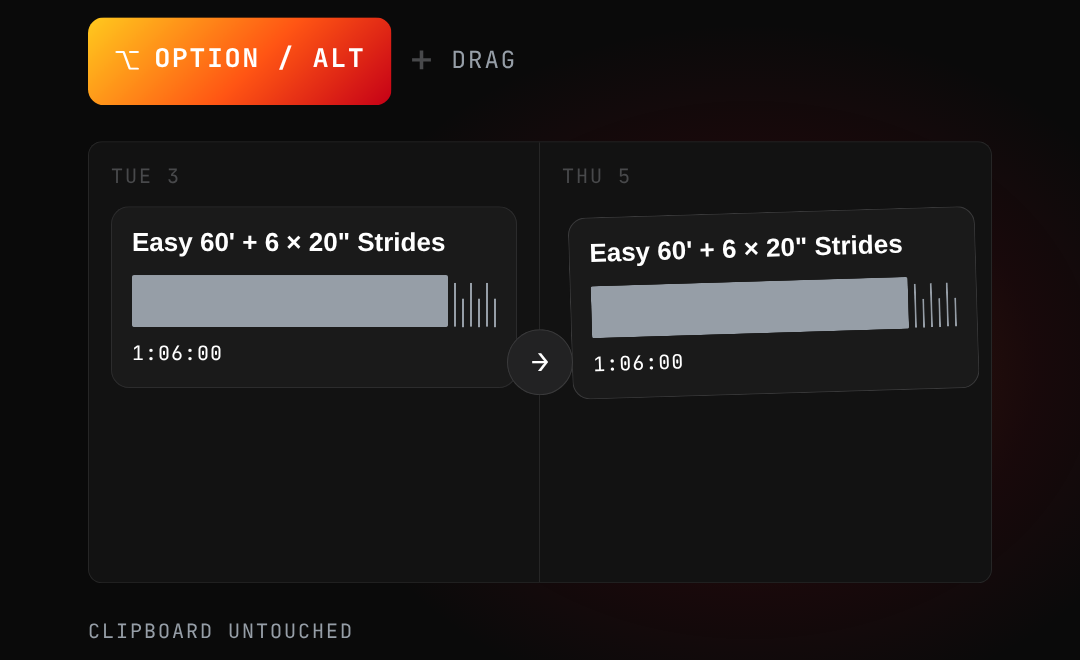
Hold Option (Alt on Windows) and drag a card to another day. This doesn't touch the clipboard, so whatever you copied before is still there to paste.
Copy to another athlete
Copy a workout or a whole week, open the other athlete's calendar, and paste it there. Handy when several athletes share a session or a training block.
Shortcuts at a glance
| Action | Mac | Windows |
|---|---|---|
| Copy a workout | Hover + ⌘C | Hover + Ctrl+C |
| Paste | Hover a day + ⌘V | Hover a day + Ctrl+V |
| Duplicate | Option + drag | Alt + drag |
Copying and pasting a whole week is done from the week's ⋮ menu rather than a shortcut.
Related questions
Can I copy a workout to another athlete?
Yes. Copy the workout, open the other athlete's calendar, and paste it into the day you want. Whole weeks work the same way.
Does copy and paste work on Windows?
Yes. Use Ctrl+C and Ctrl+V instead of ⌘C and ⌘V, and hold Alt instead of Option to duplicate. The right-click menus are the same.
What is the difference between duplicate and copy?
Duplicate (Option/Alt + drag) places a second copy of the workout straight away and leaves your clipboard as it was. Copy puts the workout on the clipboard so you can paste it as many times as you like.
Can I copy a whole week at once?
Yes. Hover the week row, click the ⋮ that appears on its left and choose Copy week. Paste it from the ⋮ menu of the week you want to fill.